

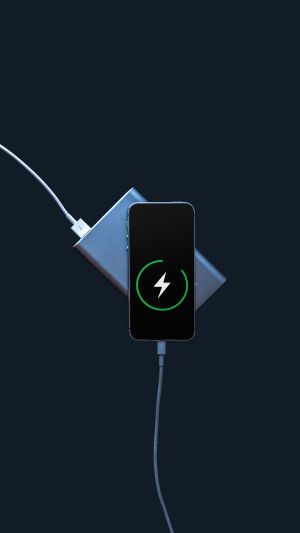
Modern devices are powerful, but that performance comes at a cost: battery life. Many people struggle with devices dying before the day ends, leaving them constantly searching for a charger.
Fortunately, small adjustments in charging habits, settings, and usage can dramatically extend both daily battery life and the overall lifespan of your device. This guide provides practical, verified strategies to help your battery perform at its best.
<h3>1. Dim the Screen</h3>
The display is one of the biggest power consumers in any device. Default brightness settings are often higher than needed, making screens look impressive but draining the battery quickly. Reduce brightness to a comfortable level and enable automatic adjustment so the screen adapts to ambient light instead of staying at maximum brightness all day. This is one of the easiest changes with the most immediate benefits.
<h3>2. Keep the Charge Between 15% and 85%</h3>
Lithium-ion batteries last longer when kept in a mid-range charge. Fully draining to 0% and charging to 100% repeatedly stresses the battery, and small damage compounds over months and years. Keeping the battery between roughly 15% and 85% reduces wear significantly. Many devices now have settings to limit full overnight charging — enabling this can help preserve battery health.
<h3>3. Use Battery-Saver Mode</h3>
Most devices have a battery-saver or low-power mode that reduces background activity, dims the screen, and pauses non-essential features like notifications or automatic syncing. This is useful for extending battery life when a charger isn’t available, although it may reduce some convenience temporarily.
<h3>4. Close Background Apps and Turn Off Auto-Syncing</h3>
Apps running in the background consume energy even when not actively used. Closing them after use helps conserve power. Automatic syncing for emails, contacts, or calendars constantly checks for updates, which consumes energy. Turning off auto-sync and checking manually saves a noticeable amount of battery, especially on long days away from a charger.
<h3>5. Avoid Extreme Temperatures</h3>
Heat accelerates battery degradation, while cold can temporarily reduce battery efficiency. Avoid leaving your device in hot or cold environments, and don’t use it while charging if it becomes hot. Maintaining moderate temperatures helps preserve battery lifespan.
<h3>6. Switch to a Dark Theme</h3>
On certain types of displays, dark pixels consume less energy than bright ones. Using dark mode or a dark interface quietly saves battery throughout the day without affecting usability. Many people also prefer the aesthetics of dark themes.
<h3>7. Keep Software Updated</h3>
Software updates often include improvements in battery efficiency. Running outdated software may mean missing optimizations. Keeping devices updated is an easy way to ensure energy-efficient performance.
Battery life depends as much on how you use and charge your device as on the hardware itself. By adjusting screen brightness, managing charge cycles, limiting background activity, avoiding extreme temperatures, using a dark interface, and keeping software updated, you can maximize daily battery performance and extend your device’s overall lifespan. Small, consistent habits add up to long-term benefits — a healthy battery means a more reliable and stress-free device experience.